Admissions
Tools for coaching institutes, schools and anyone who turns enquiries into sign-ups: lead stages, a daily WhatsApp report, AI for calls, and a one-click AI admissions setup.
Where: Admin → Workspace → Admissions.
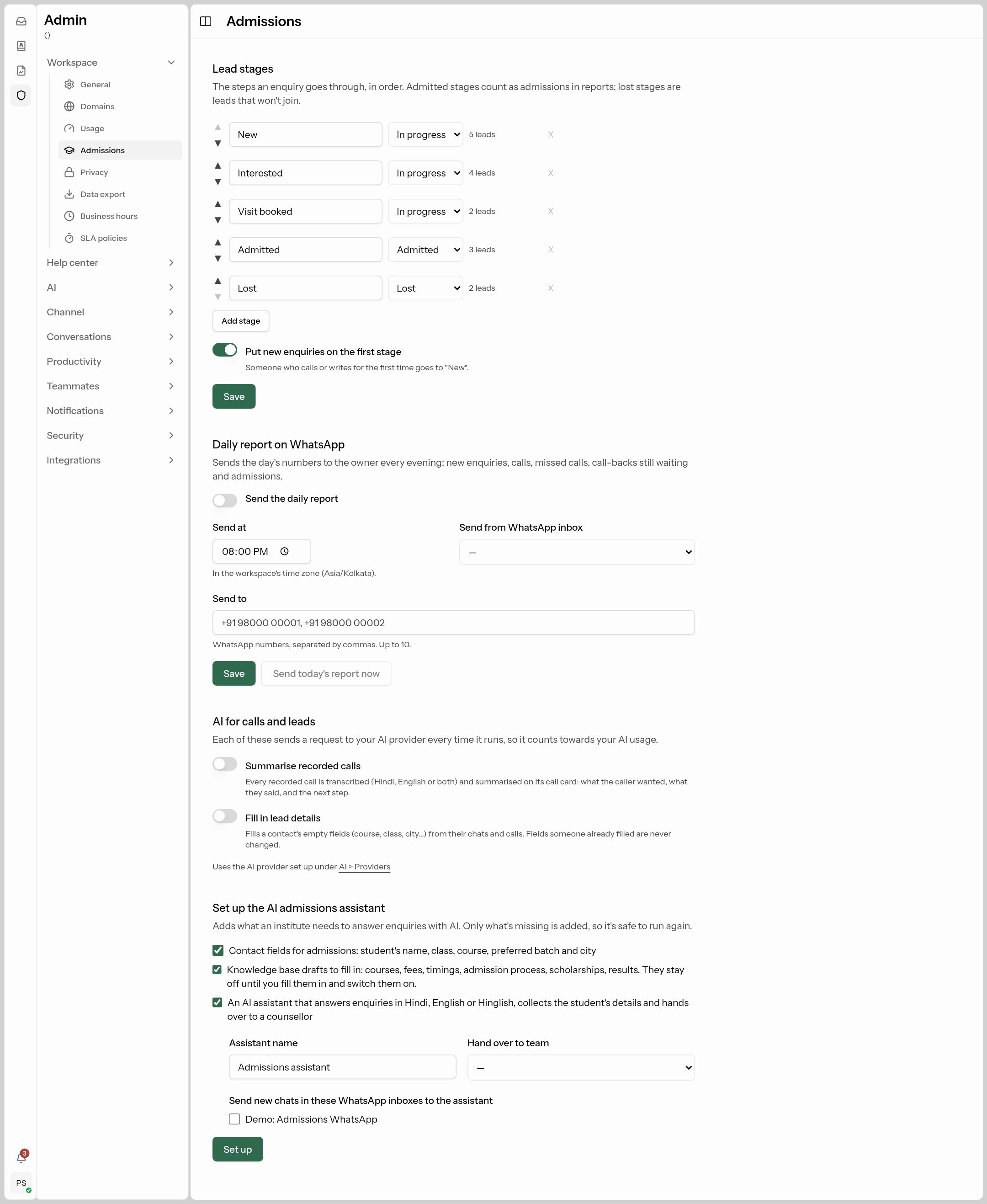
Lead stages
The steps an enquiry goes through, in order. They're the columns on the Leads board your counsellors use.
- Each stage has a name and a kind: In progress, Admitted (counts as an admission in reports) or Lost (won't join).
- Use ▲ / ▼ to reorder, Add stage to add one (up to 12), × to remove one (only once it has no leads).
- Put new enquiries on the first stage: everyone who calls or writes for the first time lands on the first stage automatically.
- You need at least one In progress and one Admitted stage. Click Save.
A typical set: New → Interested → Visit booked → Admitted / Lost.
Daily report on WhatsApp
Sends the owner the day's numbers every evening: new enquiries, calls, missed calls, call-backs still waiting and admissions.
- Turn on Send the daily report and choose Send at (in your workspace time zone).
- Pick the WhatsApp inbox to send from and an approved Template — or click Create the suggested template and wait for Meta to approve it.
- Send to: up to 10 WhatsApp numbers, separated by commas.
- Save, then Send today's report now to test.
AI for calls and leads
Each uses your AI provider and counts towards your AI usage. They save as soon as you switch them.
- Summarise recorded calls: every recorded call is transcribed (Hindi, English or both) and summarised on its call card — what the caller wanted, what was said and the next step.
- Fill in lead details: fills a contact's empty fields (course, class, city…) from their chats and calls. Fields someone already filled are never changed.
One-click AI admissions setup
Set up the AI admissions assistant adds what an institute needs to answer enquiries with AI. Only what's missing is added, so it's safe to run again.
| Tick | What it adds |
|---|---|
| Contact fields for admissions | Student's name, class, course, preferred batch and city. |
| Knowledge base drafts | Snippets for courses, fees, timings, admission process, scholarships and results. They stay off until you fill them in and switch them on. |
| An AI assistant | Answers in Hindi, English or Hinglish, collects the student's details and hands over to a counsellor. Set the Assistant name, Hand over to team, and which WhatsApp inboxes send new chats to it. |
Click Set up. Then:
- Click Fill them in to open the draft snippets. Replace every placeholder with your real courses, fees and timings, and turn each one Enabled. See how to write snippets.
- Click Open it to review the assistant, then use its Test tab. See Create your AI assistant.
The Leads board and Call-backs
Counsellors work enquiries from the inbox menu:
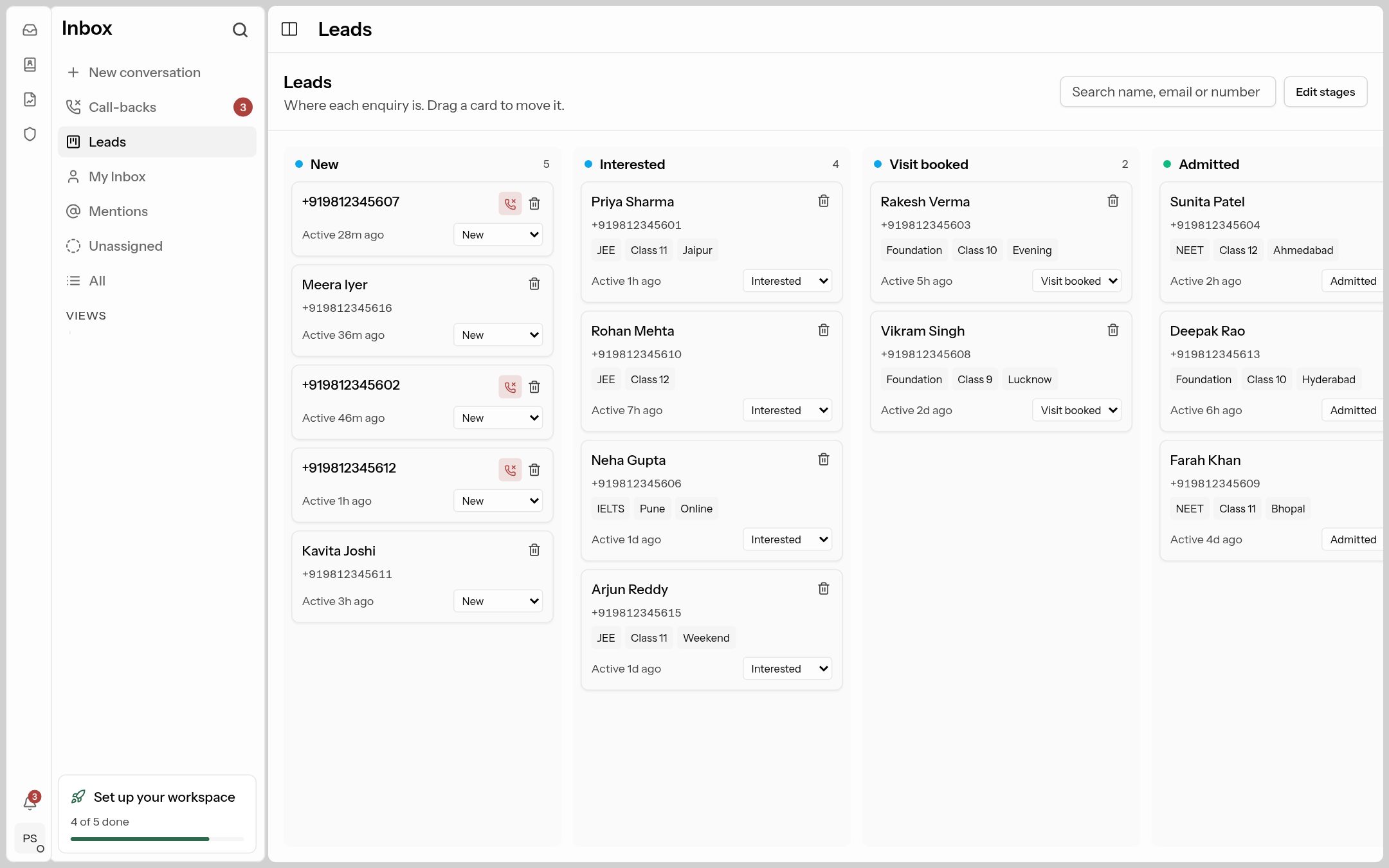 Leads: one column per stage. Drag a card to move the lead.
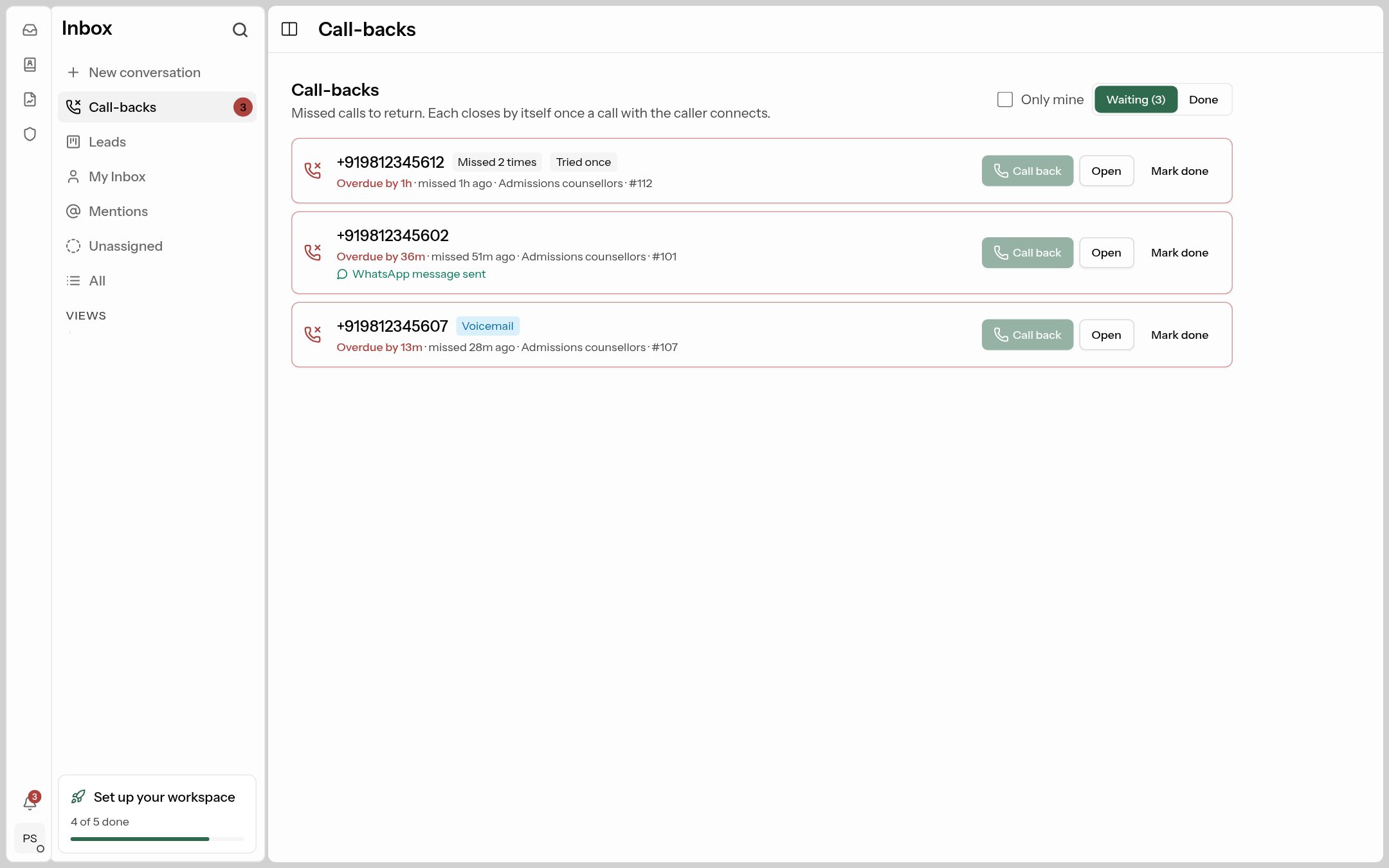 Call-backs: missed calls waiting to be returned. Each closes by itself when a call with that person connects.