Knowledge base: what the AI answers from
The knowledge base is everything the AI assistant and Juno are allowed to use as facts. It has three sources, and all your assistants share it:
| Source | Where | Best for |
|---|---|---|
| Snippets | Admin → AI → Snippets | Short, direct answers: fees, timings, address, policies. Start here. |
| Help-center articles marked for AI | Admin → Help center | Longer guides you also want customers to read on your website. |
| Suggestions from resolved chats | Admin → AI → Suggestions | Filling gaps automatically from answers your team already gave. |
When a customer writes, ConectDesk searches all three, picks the closest matches and gives only those to the AI along with the question. The AI writes its reply from them.
Snippets
Where: Admin → AI → Snippets.
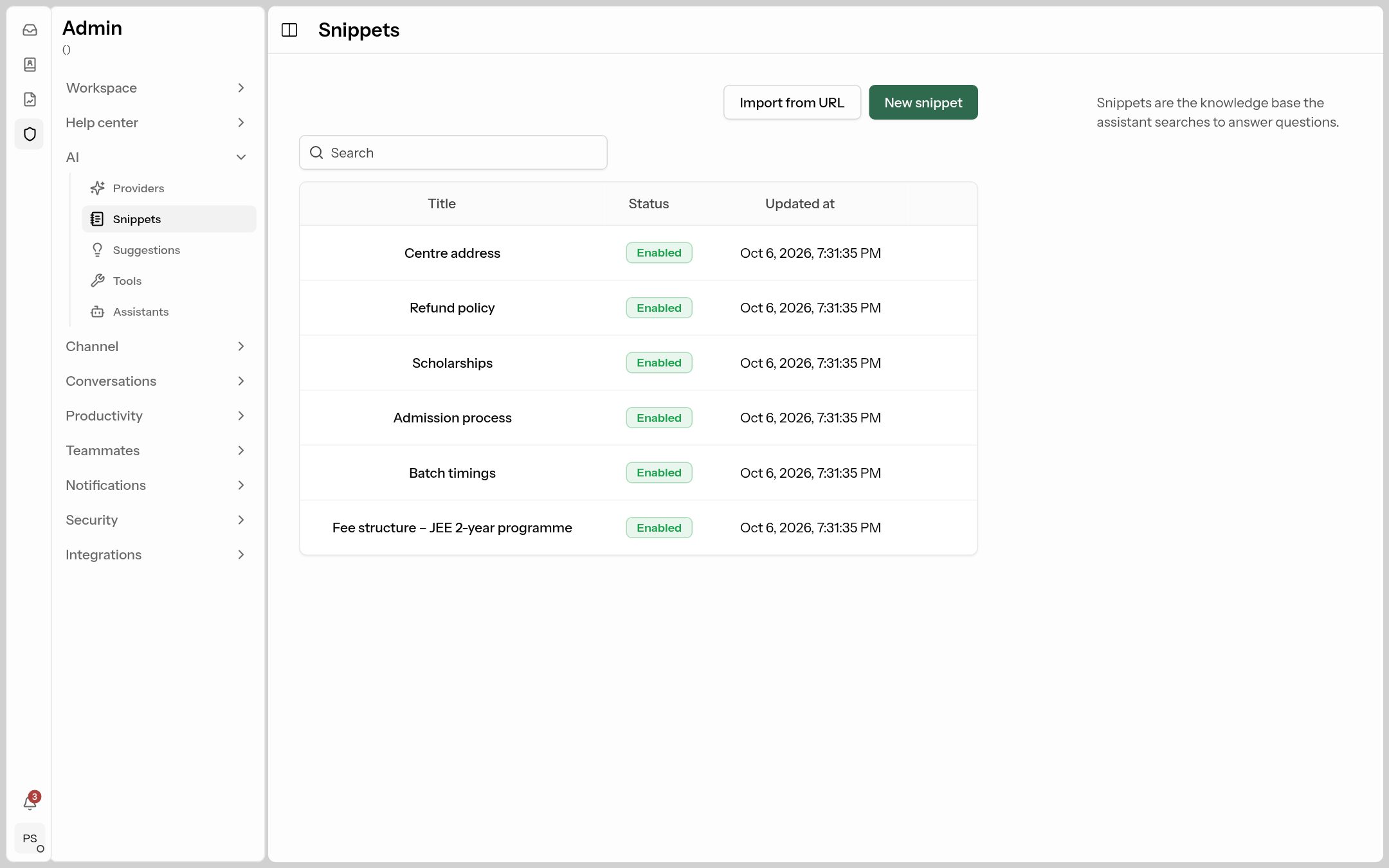 Each snippet is one answer. Only Enabled snippets are used.
Add a snippet
- Click New snippet.
- Title: what the snippet is about, e.g.
Hostel facility. It helps the search and helps you find it later. - Content: the full answer, written so it makes sense on its own.
- Leave Enabled on and click Create.
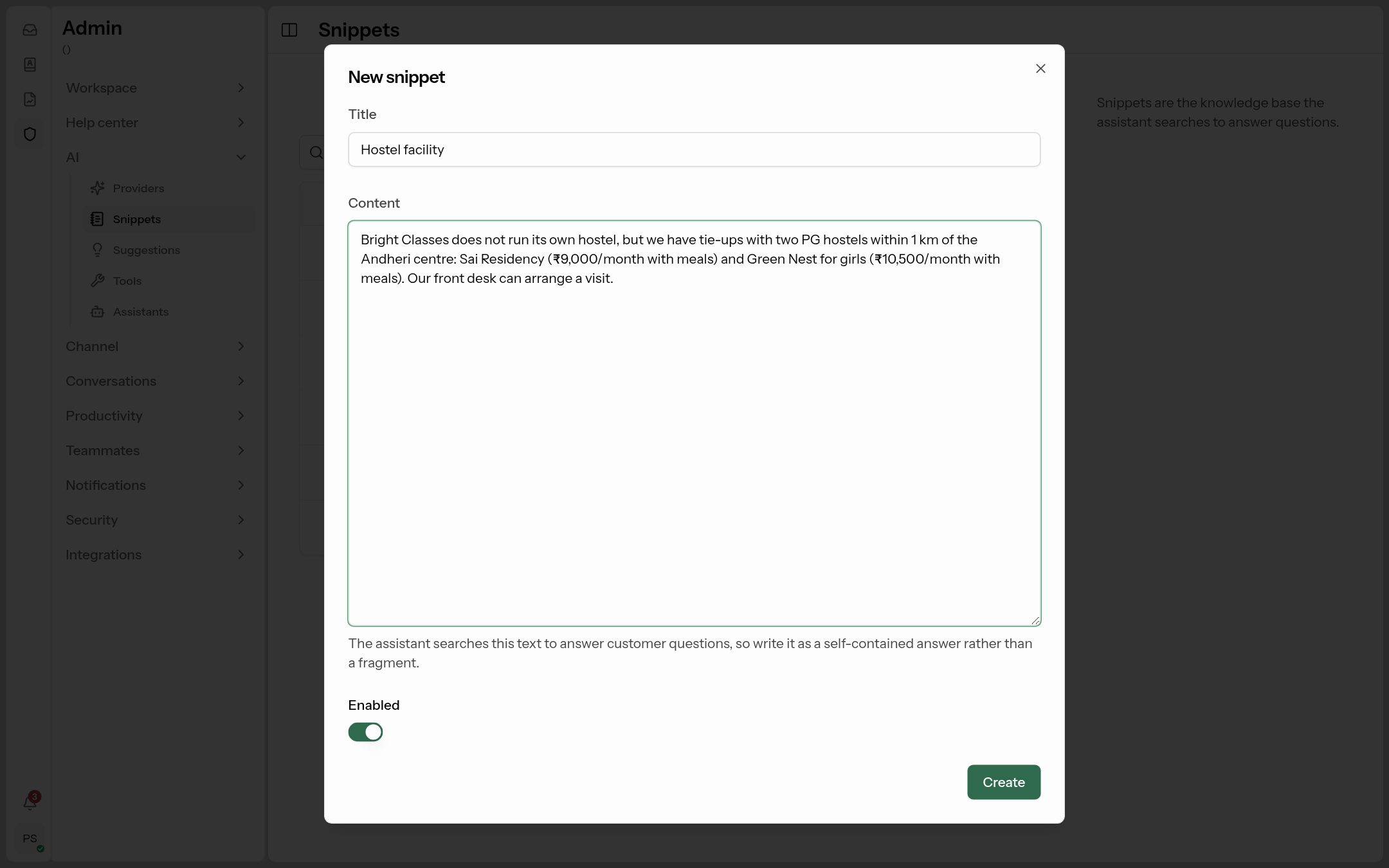 A good snippet: one topic, all the facts, written as a complete answer.
How to write snippets the AI answers well from
| Do | Don't |
|---|---|
| One topic per snippet: "Fee structure – JEE 2-year programme". | One giant snippet with everything about your institute. |
| Write complete sentences with the actual facts: amounts, dates, timings, addresses, conditions. | Write fragments like "fees – see brochure". |
| Include the words customers use: "fees", "cost", "instalments", "EMI". | Use internal codes or abbreviations only your staff know. |
| Say what's not offered: "We don't run our own hostel, but…". | Leave gaps — the AI will say it doesn't know. |
| Keep it current; edit the snippet when prices change. | Leave old fees enabled next to new ones. |
What to cover first (for most businesses): prices and payment options, timings or opening hours, address and how to reach you, how to sign up / admission process, refunds and cancellations, discounts or scholarships, contact numbers for things the AI shouldn't handle.
Example snippet
Title: Fee structure – JEE 2-year programme
Content: The JEE Main + Advanced 2-year classroom programme costs ₹1,20,000 including GST. It can be paid in one go (5% discount) or in 3 instalments: ₹50,000 at admission, ₹40,000 in October and ₹30,000 in January. Study material and test series are included.
Import a snippet from a web page
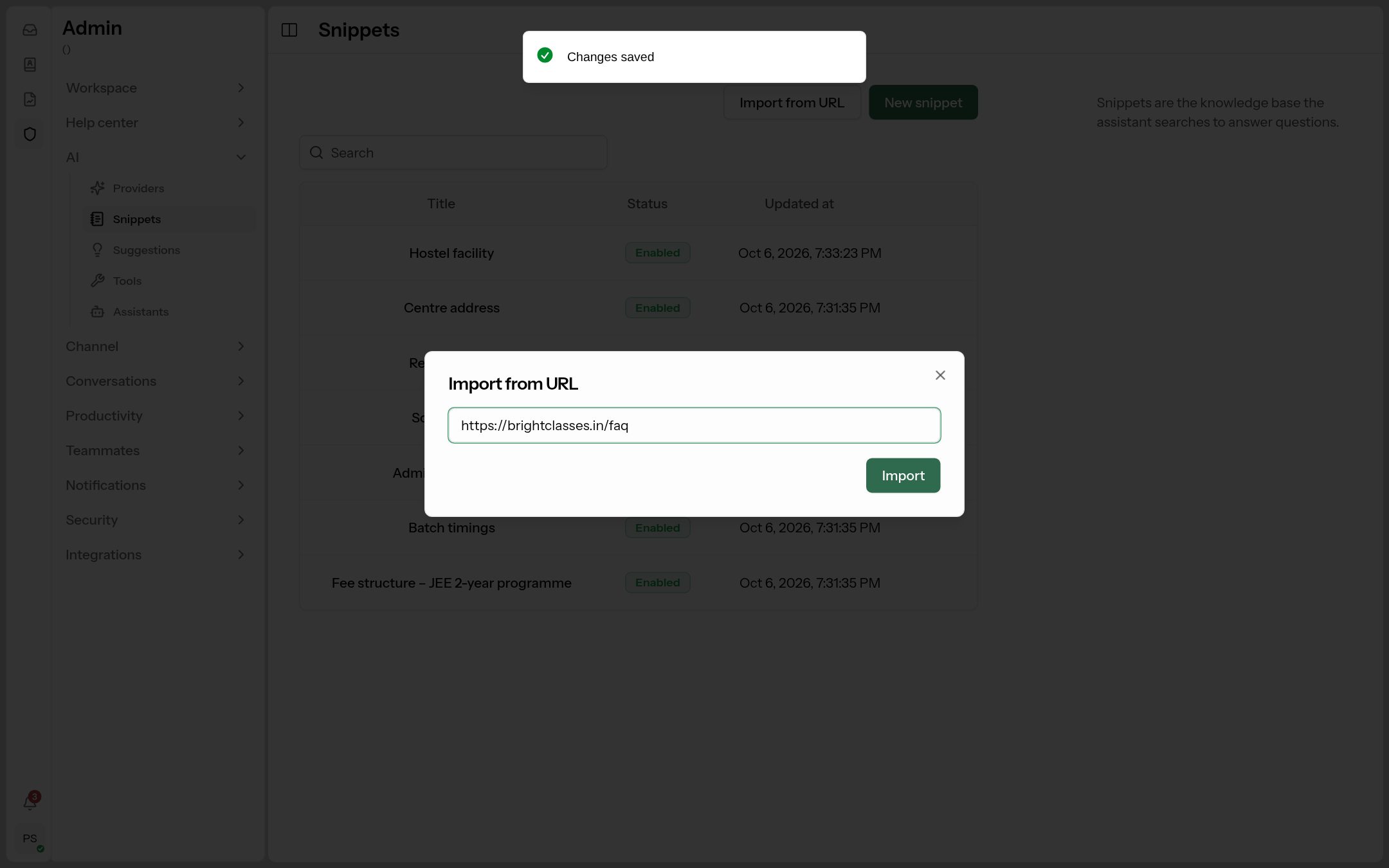
Already have an FAQ or policy page on your website? Click Import from URL, paste the page address and click Import. ConectDesk reads the page and saves it as a snippet marked Imported (hover the badge to see the source). Check and tidy the imported text — menus and footers sometimes come along.
Edit, switch off or delete
Click a title to edit it. Use the ⋮ menu to Delete. To stop the AI using a snippet without losing it (e.g. a seasonal offer), edit it and turn Enabled off.
Help-center articles
If you have a help center, any published article can also feed the AI. Open the article and turn on Allow AI assistants to use this article.
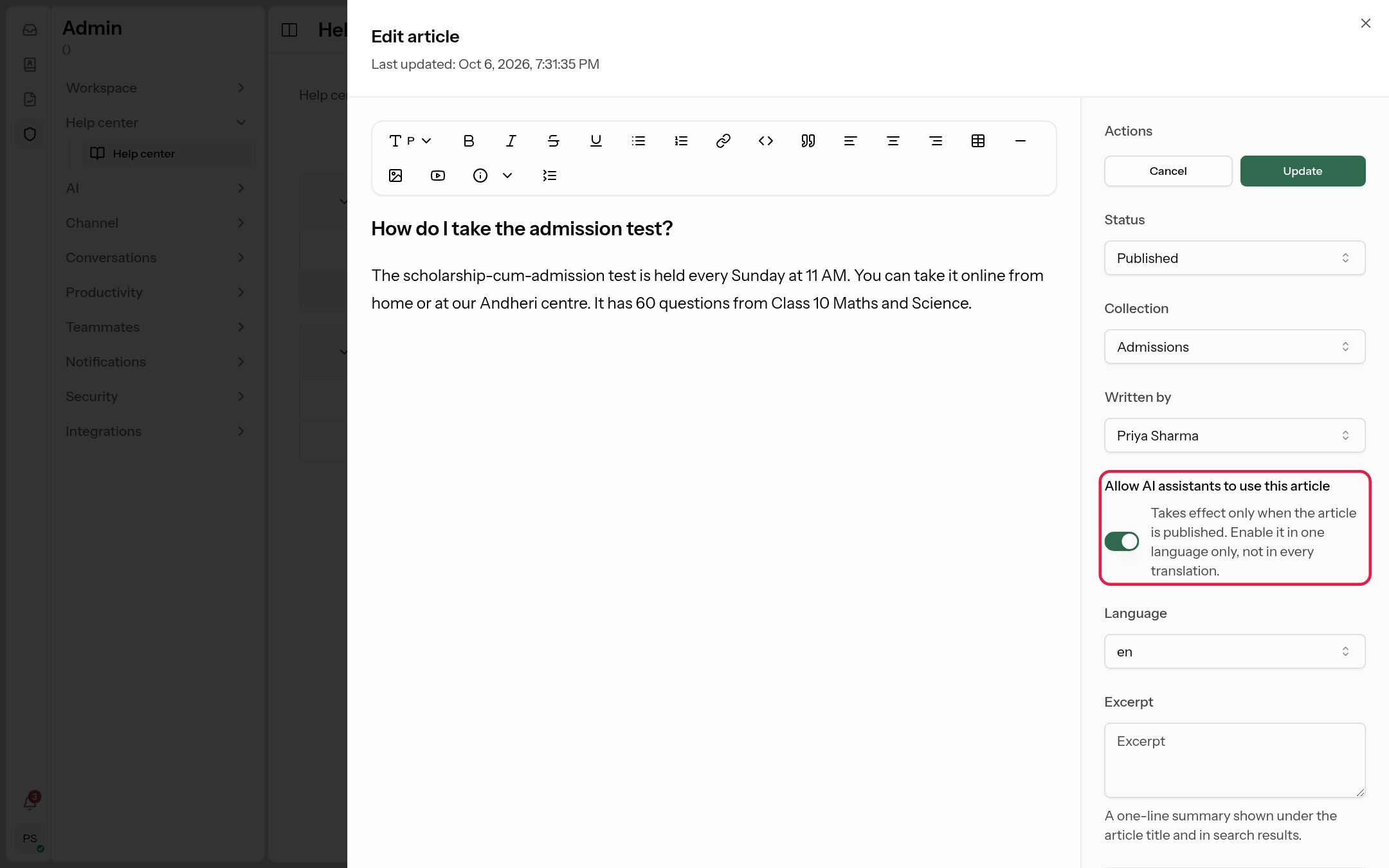 Takes effect only while the article is published.
If you publish the same article in several languages, turn the toggle on for one language only, so the AI doesn't get the same facts three times.
Suggestions: learn from your team's answers
Where: Admin → AI → Suggestions.
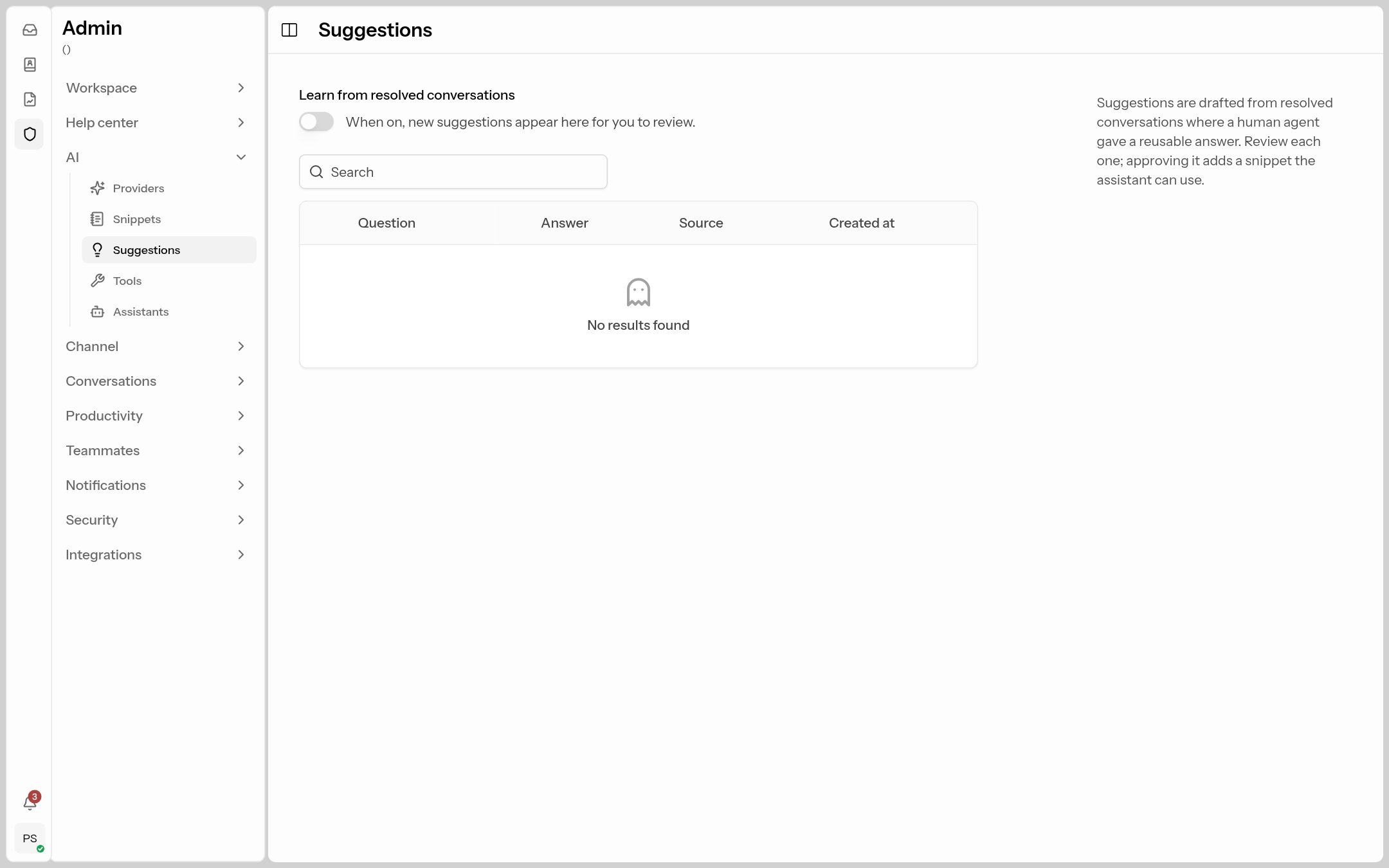
Turn on Learn from resolved conversations. When a conversation is resolved in which an agent gave a reusable answer, ConectDesk drafts a question-and-answer suggestion. Nothing is used until you review it:
- Click a suggestion, edit the Question and Answer if needed, and click Approve — it becomes a snippet (marked "Auto-created").
- Reject throws it away.
- View conversation opens the original chat.
This is the easiest way to keep the knowledge base growing: whenever the assistant hands over because it didn't know something, your agent answers, and the next customer gets that answer from the AI.
Check what the AI finds
After adding snippets, open your assistant's Test tab, ask a real customer question and look at the answer. If the answer is wrong or vague, the snippet is usually missing a fact, or the facts are split across too many snippets. See Test your assistant.